.svg)
.jpg)
What Is Maya MCP and What It's Not
If you've spent time in Maya's Script Editor, you already know the drill. Write a snippet, run it, tweak a value, run it again. It works. It has worked for decades. But it doesn't scale well when you're debugging a 200-node rig graph at midnight, prototyping a tool that needs to talk to the scene, or trying to explain to a junior artist what all those utility nodes actually do.
We kept running into the same question at Gimbal Goats: what if an AI assistant could talk to Maya directly? Not by pasting generated code into the Script Editor, but through a proper, structured interface?
That's what Maya MCP is. And in this first post of a three-part series, we want to explain what it does, what it deliberately doesn't do, and why we think it matters for riggers, TDs, and anyone building pipeline tools.
MCP in 30 Seconds
MCP stands for Model Context Protocol. It's an open standard (created by Anthropic) that defines how AI assistants connect to external tools and data sources. Think of it as a USB-C port for AI: one well-defined interface that any compatible client can plug into.
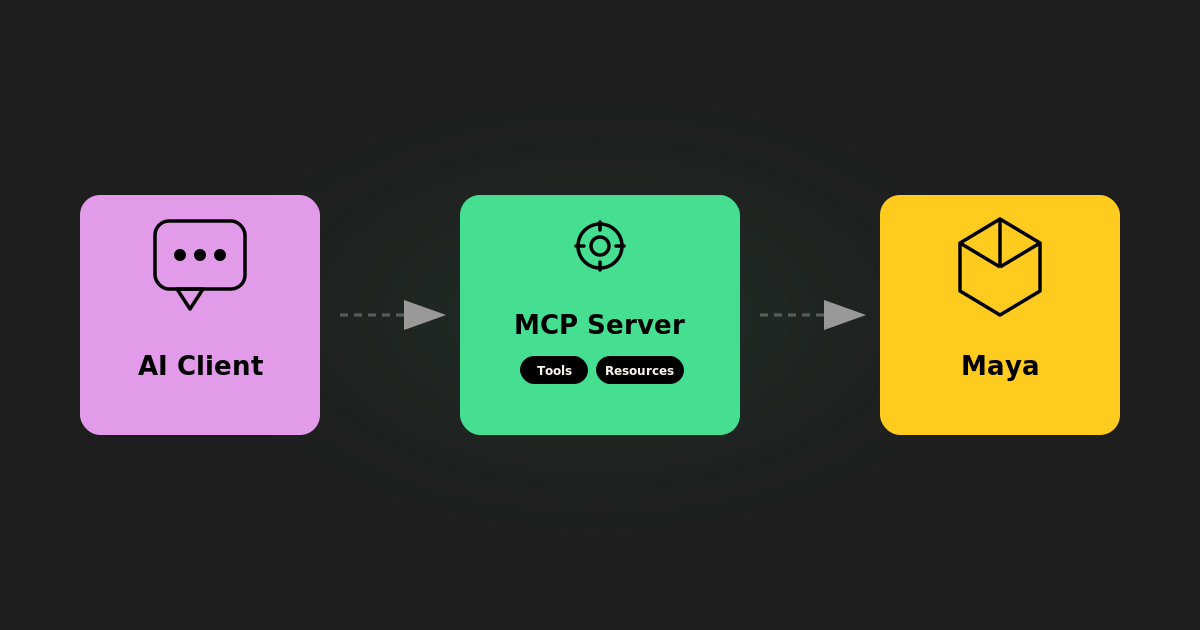
Maya MCP is our implementation of that standard for Autodesk Maya. It's a standalone Python server that sits between an AI client (Claude Desktop, Cursor, VS Code with Copilot, etc.) and a running Maya session.
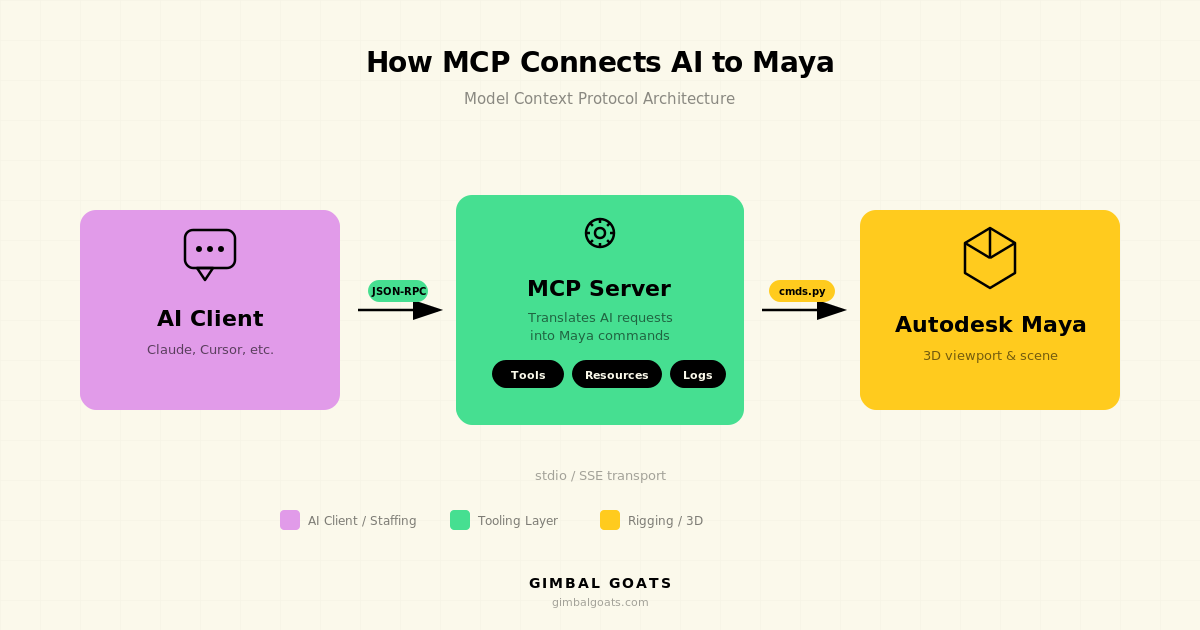
The AI doesn't generate Python and paste it into your session. Instead, it calls structured, typed "tools," things like "list all skinCluster nodes," "get the weight values on vertex 42," or "create a joint chain under this parent." Each tool has defined inputs and outputs, validation, and error handling.
What It Is
At its core, Maya MCP is a bridge. It translates requests from AI assistants into safe Maya operations and sends back structured results. Here's what that means in practice.
A typed tool interface. Every operation, from querying node attributes to setting skin weights, is an explicit tool with named parameters and return types. The AI can't just run any arbitrary string. It has to use the tools that exist, with the parameters those tools accept.
A standalone process. The MCP server is a separate Python process. It never imports maya.cmds. It talks to Maya over a TCP socket (the commandPort that Maya already has). If Maya crashes, the server stays up. If the server crashes, Maya doesn't care.
Localhost only. The connection between the server and Maya happens on your machine. Your scene data doesn't leave your network. (What your AI client does with the data it receives is the client's responsibility, but the MCP server itself is strictly local.)
What It's Not
This is just as important as what it is, because a lot of the "AI + DCC" space is full of demos that look impressive but skip over the tradeoffs.
It's not arbitrary code execution. Maya MCP does not generate Python and run it inside Maya. Many integrations work that way, and it's powerful, but it's also a vector for crashes, data loss, and unpredictable behavior. We made a deliberate choice to avoid it. Every operation goes through a validated, typed tool.
It's not a plugin. There's nothing to compile, no .mll or .py plugin to load into Maya. The server runs outside Maya entirely. You open Maya's commandPort (a one-liner in your userSetup.py), start the MCP server, and point your AI client at it.
It's not a replacement for scripting. If you know exactly what you need and you write Python efficiently, Maya MCP isn't going to be faster than your script. It shines in exploration, iteration, debugging, and workflows where the back-and-forth between human intent and scene state benefits from a conversational interface.
It's not cloud-dependent. The MCP server itself is fully local. It doesn't phone home, it doesn't require an internet connection, and it doesn't send your scene to any server. Your AI client may use a cloud API (most do), but that's between you and your AI provider, not something the MCP server introduces.
Who Is This For?
We built Maya MCP for people who work in Maya and are curious about what AI assistants can actually do beyond generating boilerplate code. Specifically:
Riggers and character TDs who want to inspect, debug, and prototype rigs conversationally. Ask your AI to trace a node graph, list influences on a skinCluster, or check weight distribution, all without writing throwaway scripts.
Pipeline TDs who are evaluating how AI fits into studio infrastructure. Maya MCP is a working example of how to integrate AI with a DCC app safely, and in this series, we're sharing the thinking behind it so you can understand what's possible.
Studio leads exploring AI augmentation for their teams. We use Maya MCP internally at Gimbal Goats to speed up our rigging and QC workflows, and we're building production tooling on top of it. If you're interested in what that could look like for your studio, that's exactly the kind of conversation we love having.
What's in the Series
This is Part 1 of three posts about Maya MCP:
- What Is Maya MCP, and What It's Not (this post)
- Inside Maya MCP: Architecture & Real Examples, how the server works under the hood, why we made specific design choices, and small code examples you can try
- Debugging a Maya Crash with Maya MCP the MCP server in action, used to debug a real Maya scene
Want to See It in Action?
We're currently using Maya MCP internally at Gimbal Goats to power our rigging, QC, and pipeline workflows. We're also building production tools on top of it, things like automated rig validation and AI-assisted weight painting, that we plan to offer to studios in the near future.
Since publishing this series, we have also open-sourced the Maya MCP server. You can find the open-source Maya MCP server for Autodesk Maya on GitHub here: GimbalGoats/GG_MayaMCP.
The repo includes installation instructions, client setup, documentation, and the typed tool surface we use to connect AI assistants to Maya in a structured way.
If you're curious about how AI-assisted Maya workflows could fit into your pipeline, or if you're looking for a rigging team that's already working this way, we'd love to chat.
We build this kind of tooling for studios every day. See our character rigging services and Maya tool development.